Yafex Studio
UX / UI Case Study · Habit Tracker App

DAILYLOOP
HABIT
TRACKER

UX · UI · Research
Figma
1 Month
iOS Mobile App
2024
Scroll
00 — Project Overview

A habit tracker built around consistency,
not complexity.

DailyLoop is a habit tracking mobile app designed to help people stay consistent with their daily routines through reminders, progress tracking, and motivational insights.

The core challenge: most people don't fail habits — they fail their systems. DailyLoop addresses this by making tracking frictionless, progress visible, and motivation built-in.

Habit Tracking Mobile UX Motivation Design AI Coach Streak System
12
Screens
6
Core Features
1mo
Timeline
Project Details
Role
UX Designer · UI Designer · Researcher
Tools
Figma
Platform
iOS Mobile Application
Primary Color
#A8E100 — Growth & Progress
Typography
SF Pro — Clean, readable system font
Users
Students, Professionals, Goal-driven individuals
Key Features
Streaks · Reminders · Analytics · AI Coach · Calendar
01 — Problem Definition

Why Do People
Abandon Habits?

Many people want to improve their daily routines — exercising regularly, studying consistently, building healthier habits. Maintaining these over time is the hard part.

Background

Many people want to improve their daily routines, whether it is exercising regularly, studying consistently, or building healthier habits. However, maintaining these routines over time can be challenging without a system that supports motivation and progress tracking.

The Problem

Most users struggle to stay consistent because they forget to track their habits, lose motivation after missing a few days, or find existing habit-tracking apps overly complicated. Without a simple and engaging system, users often abandon their habits before they become part of their routine.

01
Students — want to build consistent study and exercise routines but forget to track and lose motivation when they break streaks.
02
Professionals — need a fast way to track healthy habits during busy schedules without navigating complex multi-step apps.
03
Goal-driven individuals — want clear progress visualization and motivational feedback that keeps them accountable daily.
04
New habit starters — feel overwhelmed without guided onboarding or personalization when starting a new routine tracker.
02 — Research & Insights

Competitive
Analysis

To understand the market, I reviewed several popular habit tracking applications. The goal was to identify common features, strengths, and usability gaps.

App Target Audience Strength Weakness Simple UI Reminders AI Motivation
Habitica
Gamification users, gamers Highly engaging, gamified experience Complex, overwhelming UI
Habitify
Minimalists, productivity users Clean UI, strong analytics Lacks motivation features
Streaks
iOS users, simple trackers Very simple, fast to use Limited features, iOS only
Productive
General users, professionals Balanced features, good UX Cluttered, some paywall features
DL
DailyLoop ↗
Students, professionals, goal-driven Simple + motivating + AI-powered New entrant — establishing trust
Key Insights From Research

Users Forget To Track

Many people start habits with motivation but forget to log them daily. Smart, timely reminders are a critical retention feature that most apps underinvest in.

Apps Feel Complicated

Users prefer a clean and minimal interface that does not require too many steps to log a habit. Complexity is the number one reason people abandon habit trackers.

Motivation Drives Consistency

Progress visualization, streak tracking, and motivational reminders measurably help users stay consistent. Visual feedback is not a nice-to-have — it is core.

User Interviews

To understand how people currently manage their habits and where they struggle, I conducted informal user interviews using online discussions and feedback from productivity communities and social media platforms.

Key Questions Asked

  • What makes it difficult for you to stay consistent with habits?
  • Have you used a habit tracker before? What problems did you face?
  • What would make a habit tracking app more useful for you?
  • How do you currently track your daily progress?

What I Found

  • Many users mentioned forgetting to track habits or losing motivation after missing a few days.
  • Several users said existing apps felt complicated or required too many steps to log a habit.
  • Users wanted simple tracking, reminders, and clear progress visualization to stay motivated.
  • Personalized onboarding would help users feel the app was built for their goals.

User Personas
Alex D.
Alex D.
Age 24 · University Student
MotivatedEasily DistractedThinker

"Alex wants to build better daily routines such as studying regularly and exercising. However, he often forgets to track his habits and struggles to stay consistent over long periods."

Goals
  • Build a consistent study routine
  • Track daily progress easily without complexity
  • Stay motivated through streaks and visual progress
Frustrations
  • Forgetting to track habits daily
  • Complicated productivity apps with too many steps
  • Losing motivation after missing a few days

Sarah T.
Sarah T.
Age 31 · Marketing Manager
BusyGoal-OrientedOrganized

"Sarah wants to maintain healthy habits while managing a busy work schedule. She needs a simple solution that reminds her about habits and helps her track progress quickly."

Goals
  • Maintain a healthy lifestyle despite a packed schedule
  • Track habits quickly with minimal friction
  • Receive reminders during her busiest days
Frustrations
  • No time to manage complex, multi-step apps
  • Losing motivation when progress is unclear or invisible
  • Forgetting habits entirely during stressful weeks
03 — Define

Project
Goals

User Goals

  • Stay consistent with daily habits
  • Receive smart reminders and motivation
  • Track progress easily with clear visuals
  • Personalize habits to their own focus areas

Project Goals

  • Design a simple habit tracking system
  • Make progress visualization motivating
  • Reduce friction when creating and tracking habits
  • Build an intuitive, clean interface

Business Goals

  • Create an engaging habit tracking experience
  • Encourage daily user engagement and retention
  • Provide meaningful progress insights
  • Differentiate with AI-powered coaching
Problem Statements & Hypotheses
Problem
Many users forget to track their habits daily without a reminder system.
Hypothesis
If users receive smart reminders and notifications, they will be more likely to stay consistent with their habits.
Problem
Existing habit tracking apps are too complicated and require too many steps to log a habit.
Hypothesis
If the habit tracking process is simplified to one tap, users will log their habits more frequently and consistently.
Problem
Users lose motivation when they cannot clearly see their progress over time.
Hypothesis
If progress is visualized through charts, streaks, and completion rings, users will feel more motivated to continue their habits.
Problem
New users feel overwhelmed when starting a habit tracker without guidance or personalization.
Hypothesis
If users can personalize their habits and focus areas during onboarding, they will feel more engaged with the app from day one.
Problem
People find it difficult to build habits without supportive feedback or coaching.
Hypothesis
If the app includes an AI Coach feature with personalized tips, users will feel more supported and stay consistent longer.
04 — Ideate

Design
Process

Information Architecture

The app structure is built around 9 primary sections — each expanding into focused sub-screens to keep navigation shallow and intuitive.

DAILYLOOP APP Onboarding Welcome Choose Focus Feature Explanation Personalization Authentication Sign Up Log In Forgot Password Home Today Summary Habit List Progress Ring Add Habit Create Habit Habit Settings Calendar Monthly Habit Tracking Completion History Analytics Completion Rate Habit Streaks Monthly Trends AI Coach Daily Insights Recommendations Performance Summary Notifications Habit Reminders Streak Updates AI Tips Settings Account Settings App Preferences Reminder Settings Entrance Primary section Sub-screen

User Flow

The user flow maps every decision point from first launch through daily habit tracking — capturing authentication paths, core navigation, and how users move between creation, analytics, and AI coaching.

No Yes Start Welcome Screen Log In Reset Password Don't have account Email & Pass Right Forget Password Sign In AI Coach Home Creat Habit New Habit Calendar See Progress Show Details End Track Habit Analytics Habit Detail Start / End Page / Section User action Decision Alternative path

Low-Fidelity Wireframes

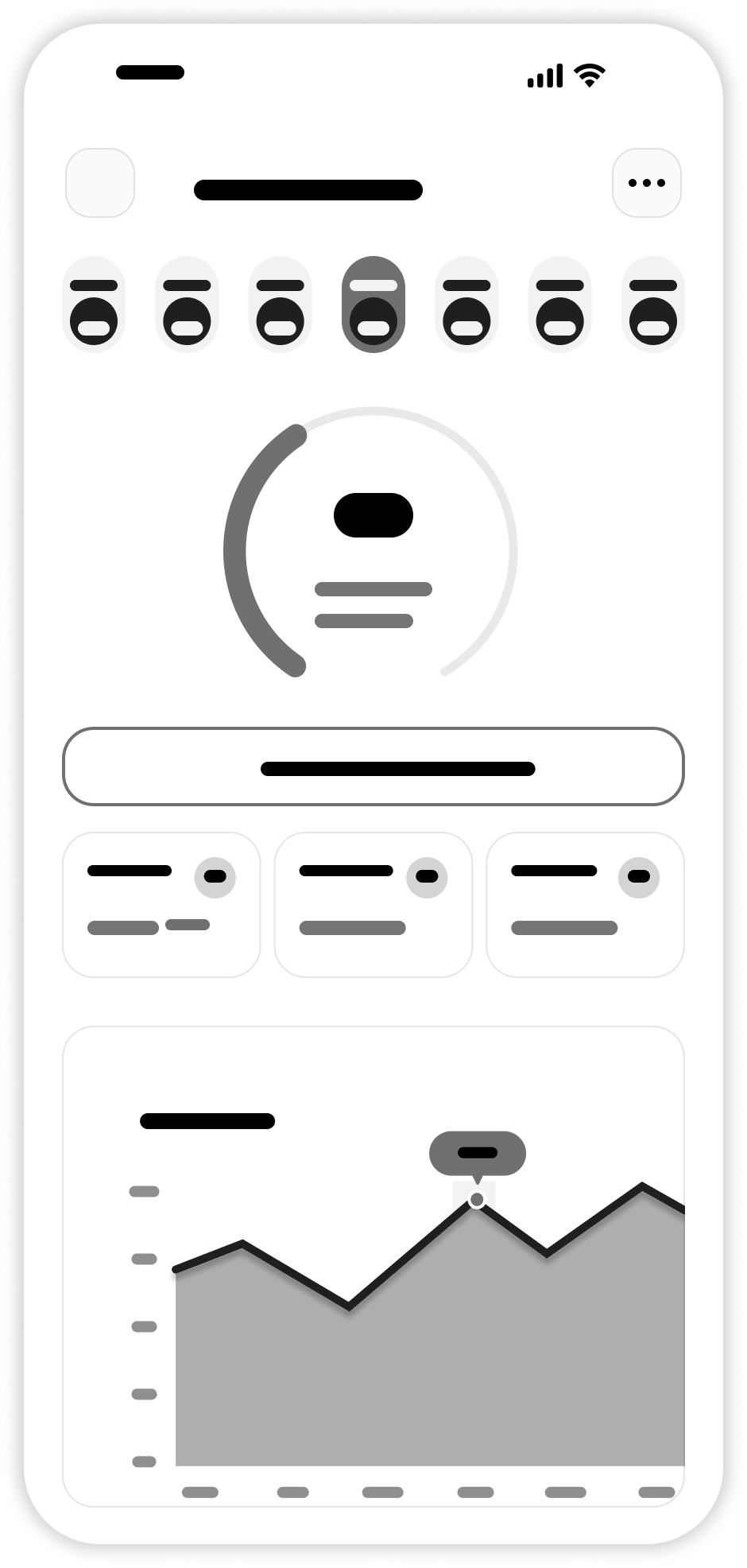
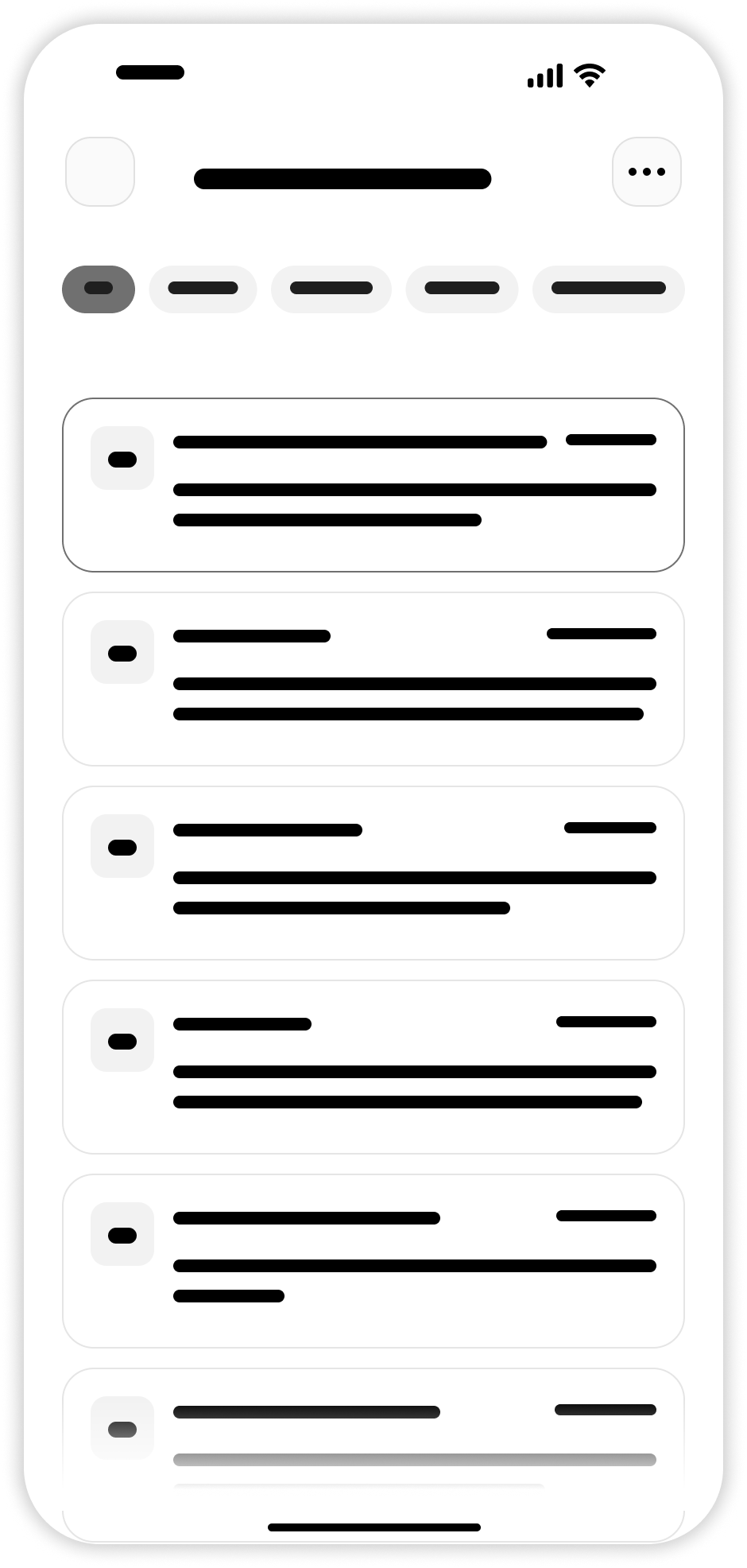
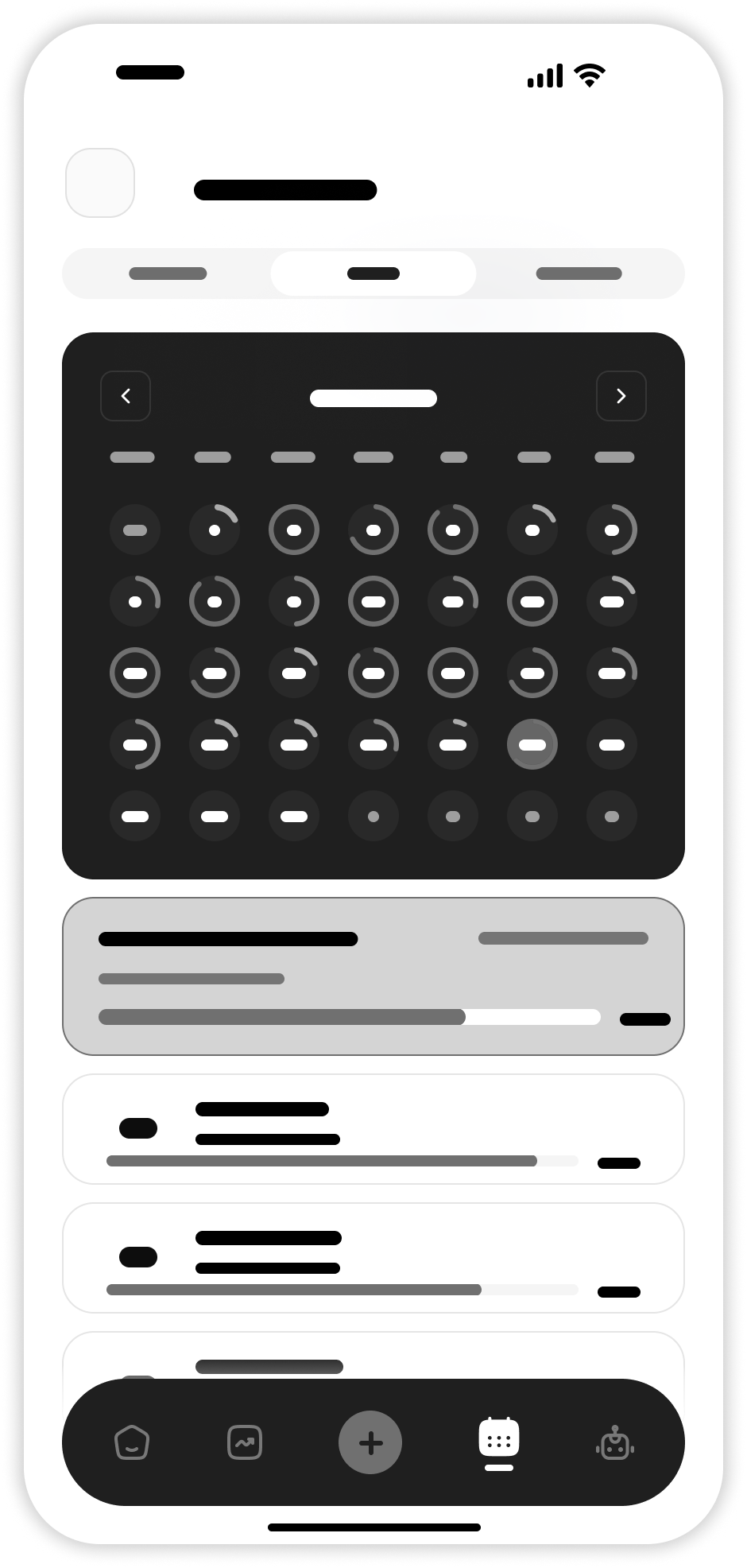
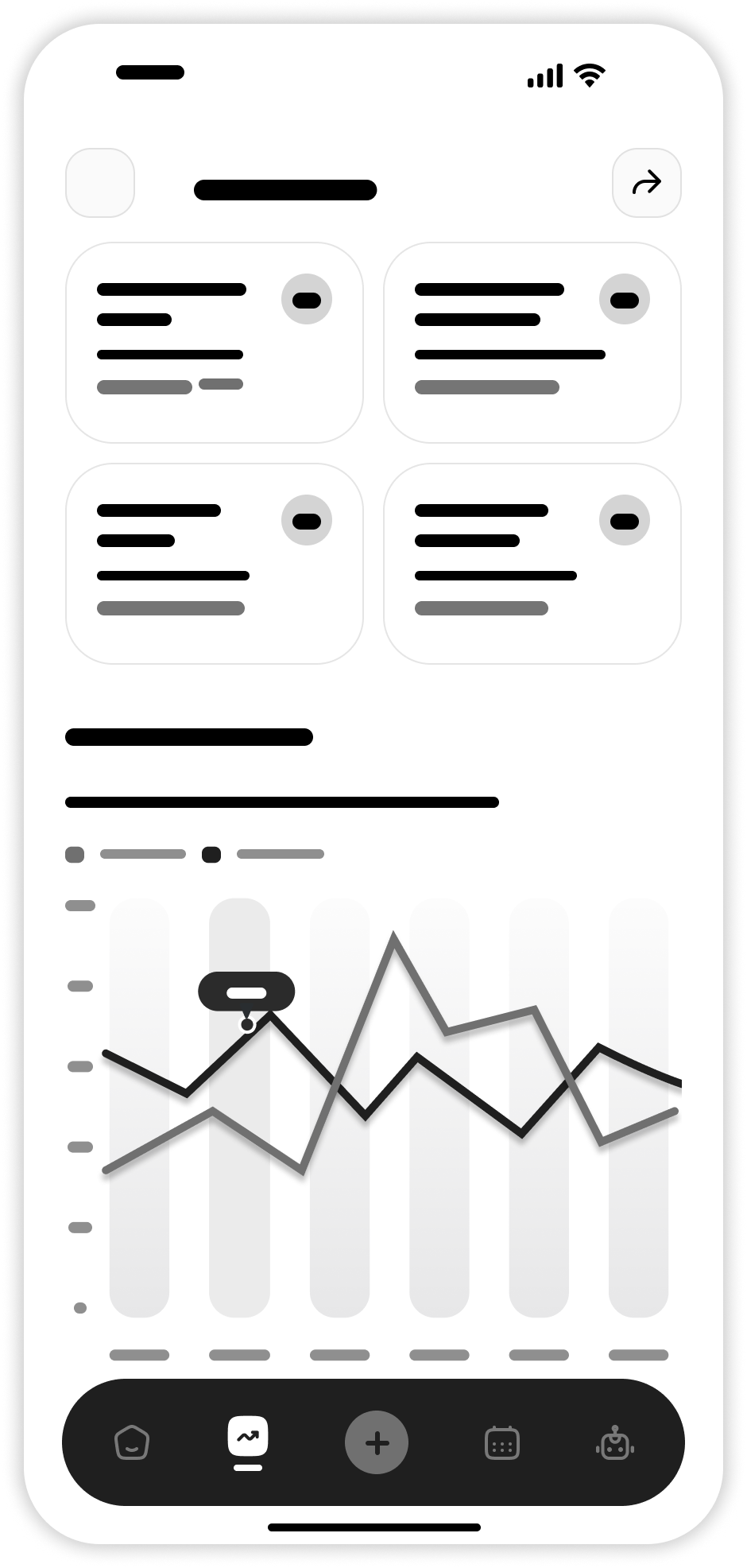
Low-fidelity wireframes were created to define the layout and structure before moving into visual design. Key screens include the home dashboard, habit creation flow, calendar view, and analytics screen.

Welcome Screen
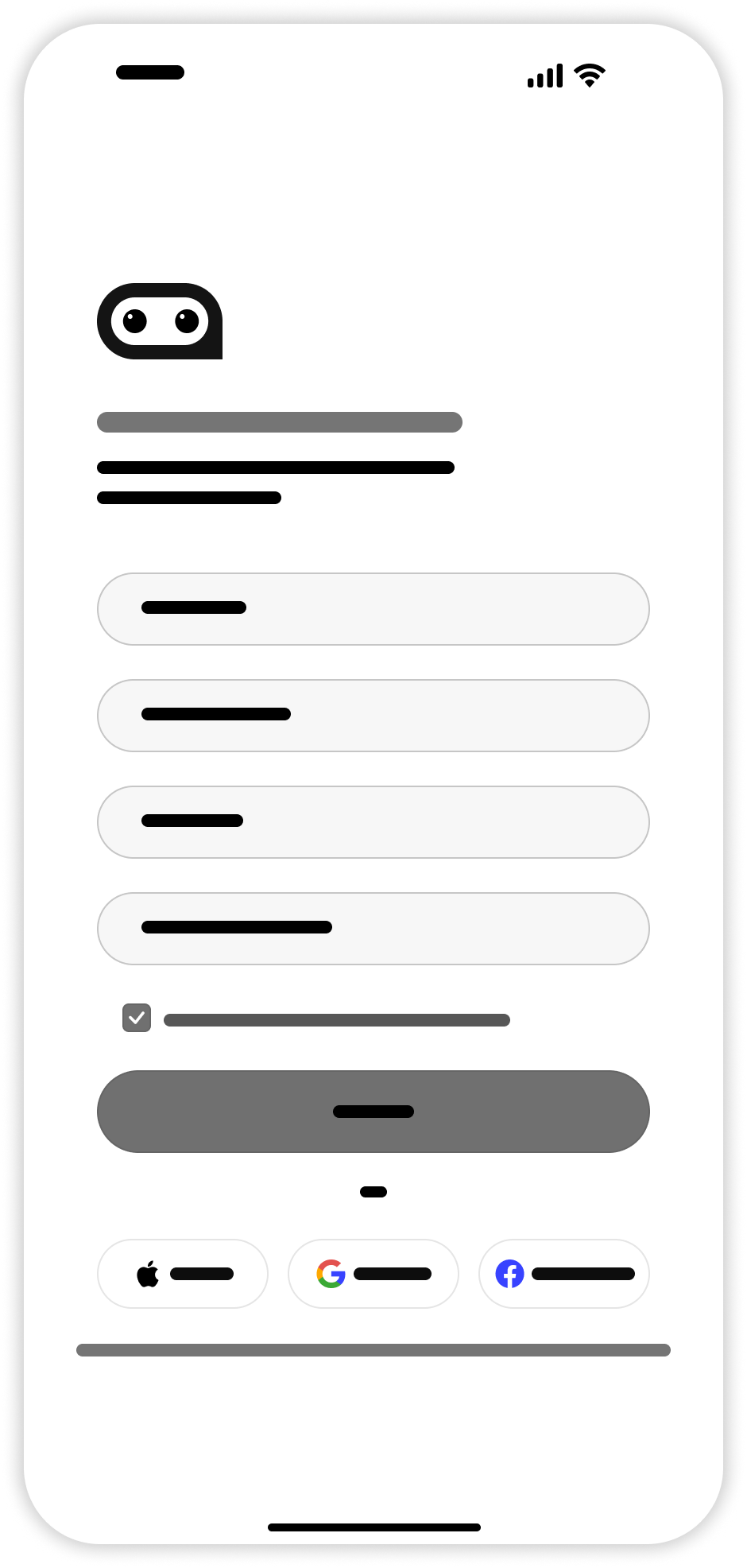
Welcome Screen Wireframe
Sign Up
Sign Up Wireframe
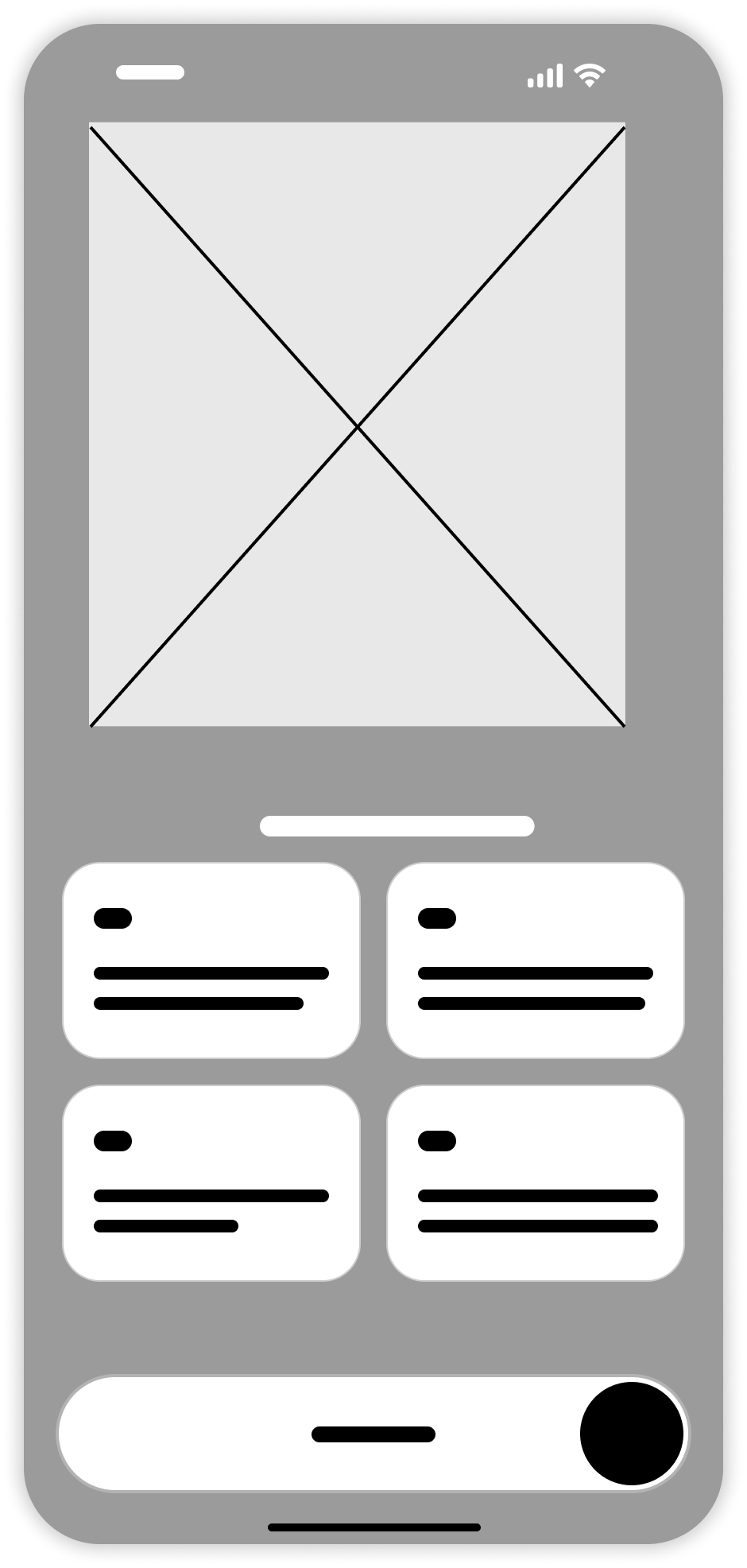
Explain Features
Explain Features Wireframe
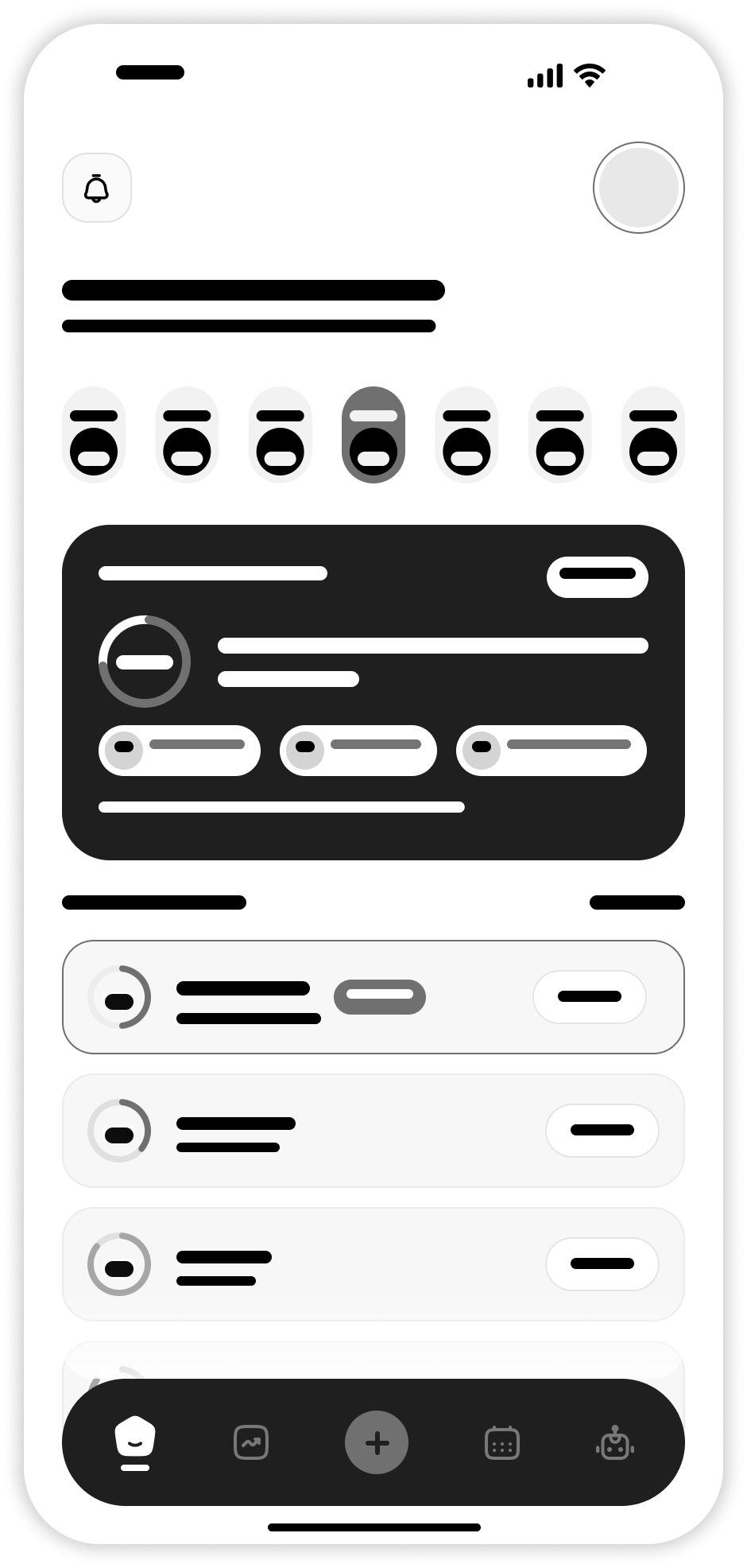
Home Dashboard
Home Dashboard Wireframe
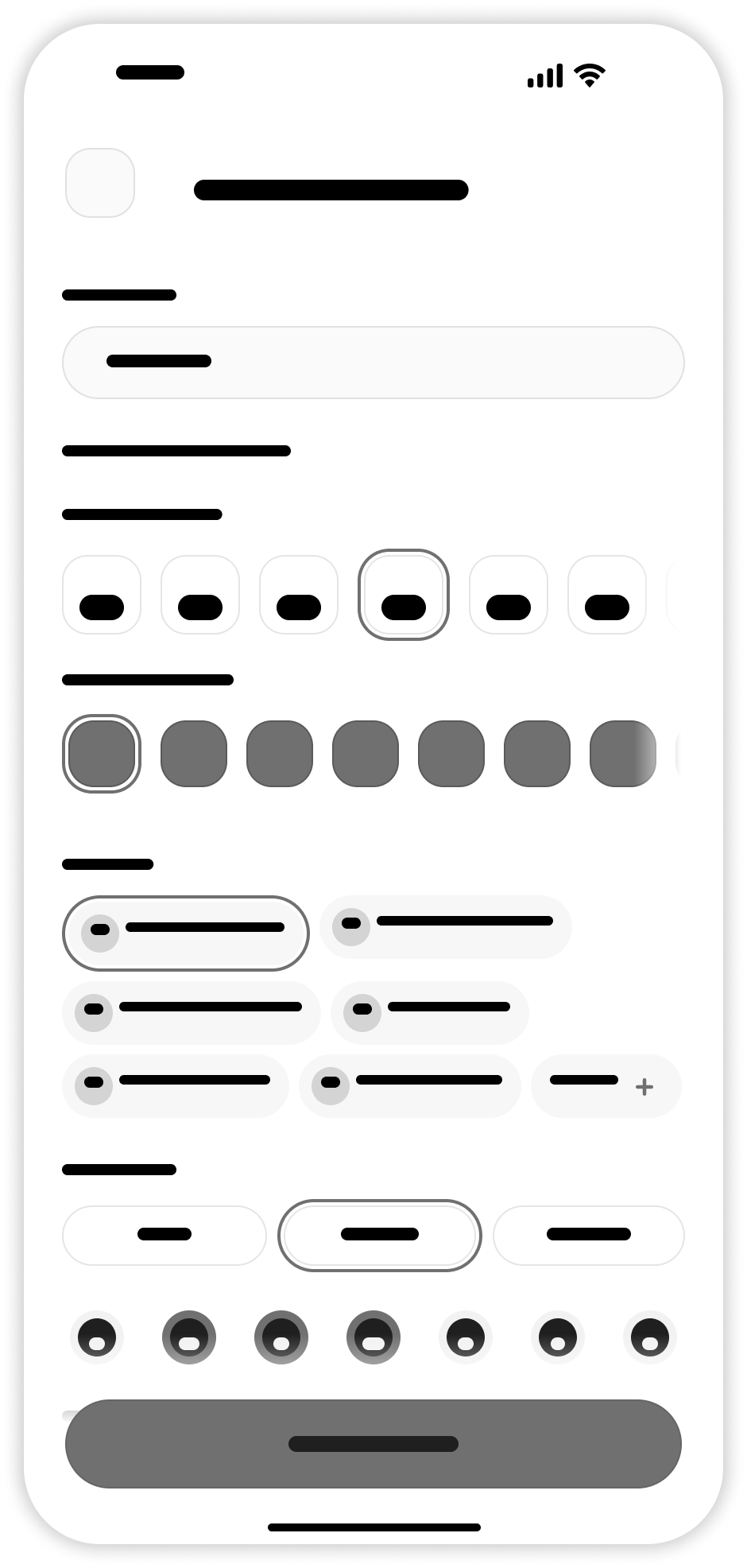
Add New Habit
Add New Habit Wireframe
Habit Detail
Habit Detail Page Wireframe
Notifications Page
Notifications Page Wireframe
Calendar Page
Calendar Page Wireframe
Progress & Analytics
Progress and Analytics Page Wireframe
05 — UI Design

Visual
Design

The UI design focuses on simplicity, clarity, and motivation. A clean layout combined with strong visual feedback helps users stay focused on progress and consistency.

01 — Color Palette

The primary color is Green (#A8E100) — chosen because it represents growth, health, and progress. Secondary colors include white and black to create contrast and maintain a clean, minimal aesthetic.

#A8E100
Primary Green · Growth
#FFFFFF
Background
#000000
Neutral
#7AAA00
Green Dark
#BEF030
Green Light
#F5F7F2
Surface
02 — Typography

The app uses two typefaces — SF Pro for all UI text and Raleway for display headings — creating a clean hierarchy from bold display titles down to small captions.

Font Name — SF Pro & Raleway
Display Font — Raleway Ex Bold 58px
H1 · SF Pro Bold 32px
H1 — Sf Pro Bold 32px
H2 · SF Pro ExBold 28px
H2 — Sf Pro Ex Bold 28px
H3 · SF Pro Bold 24px
H3 — Sf Pro Bold 24px
H4 · SF Pro Medium 20px
H4 — Sf Pro Medium 20px
Title 1 · SF Pro SemiBold 18px
Title 1 — Sf Pro Semi Bold 18px
Title 2 · SF Pro Bold 16px
Title 2 — Sf Pro Bold 16px
Title 3 · SF Pro Medium 16px
Title 3 — Sf Pro Medium 16px
Body 1 · SF Pro Bold 14px
Body1 — Sf Pro Bold 14px
Body 2 · SF Pro Medium 14px
Body2 — Sf Pro Medium 14px
Caption · SF Pro Medium 12px
Caption — Sf Pro Medium 12px
03 — UI Elements

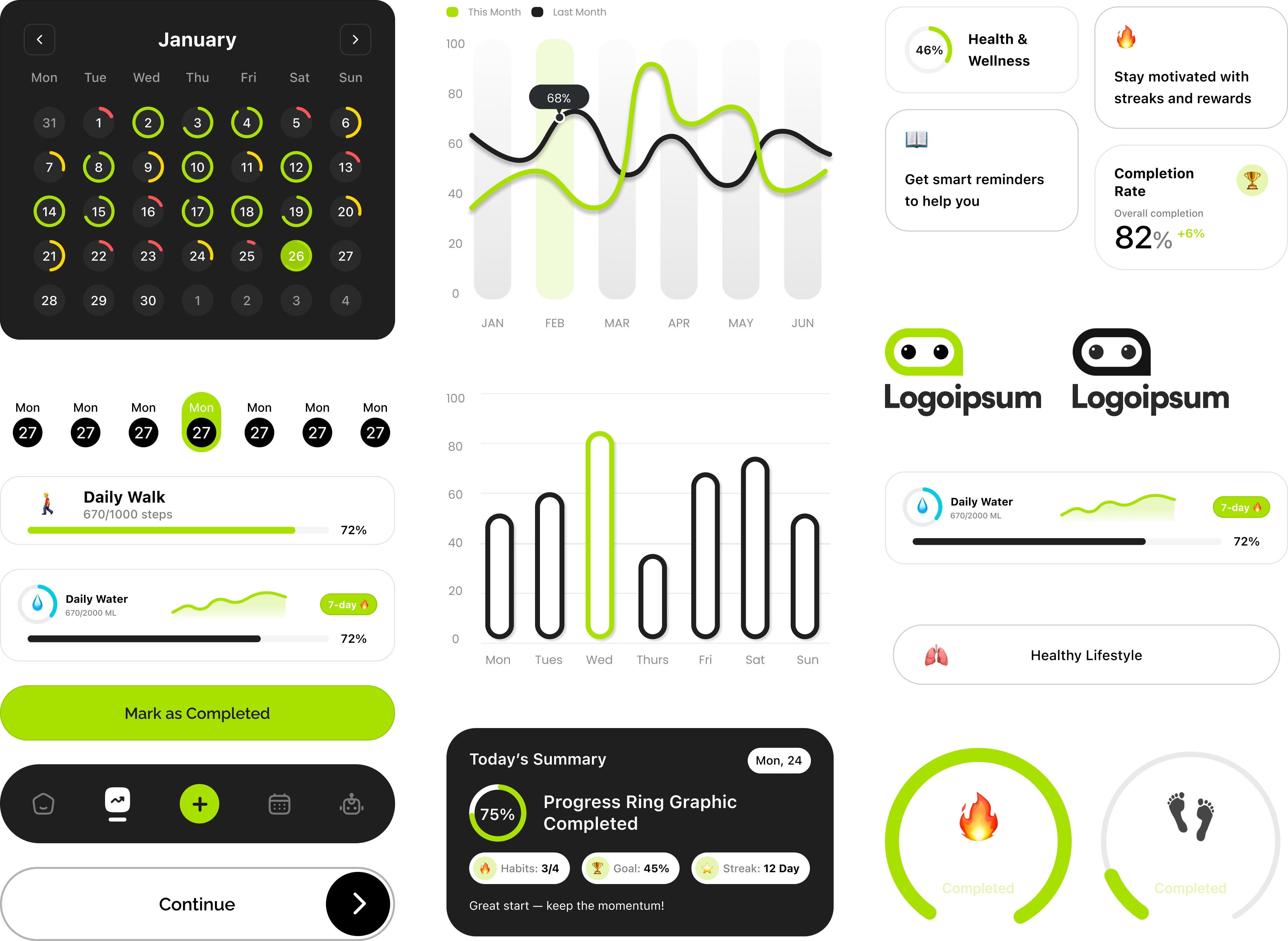
A library of reusable components built from the app's design system — calendars, charts, habit cards, progress rings, buttons, and navigation bars — each designed to feel familiar and frictionless.

UI Elements
High-Fidelity Screens

12 Screens
Designed

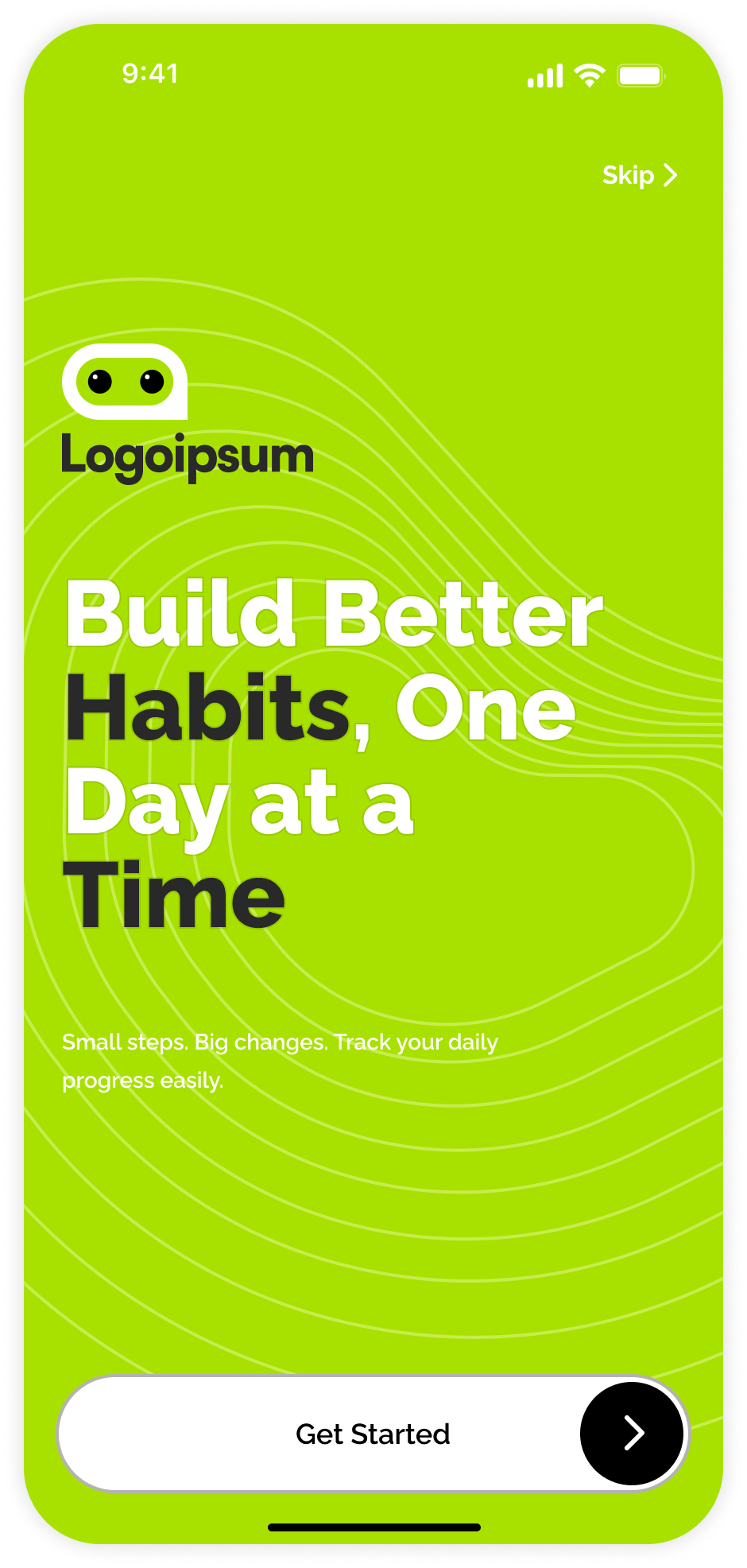
The high-fidelity designs bring the wireframes to life with a clean and consistent visual style. The focus was on creating an interface that feels simple, intuitive, and motivating.

Welcome Screen
01

Welcome Screen

Introduces the app with a bold headline and single CTA to guide users forward without confusion.

Explain Features
02

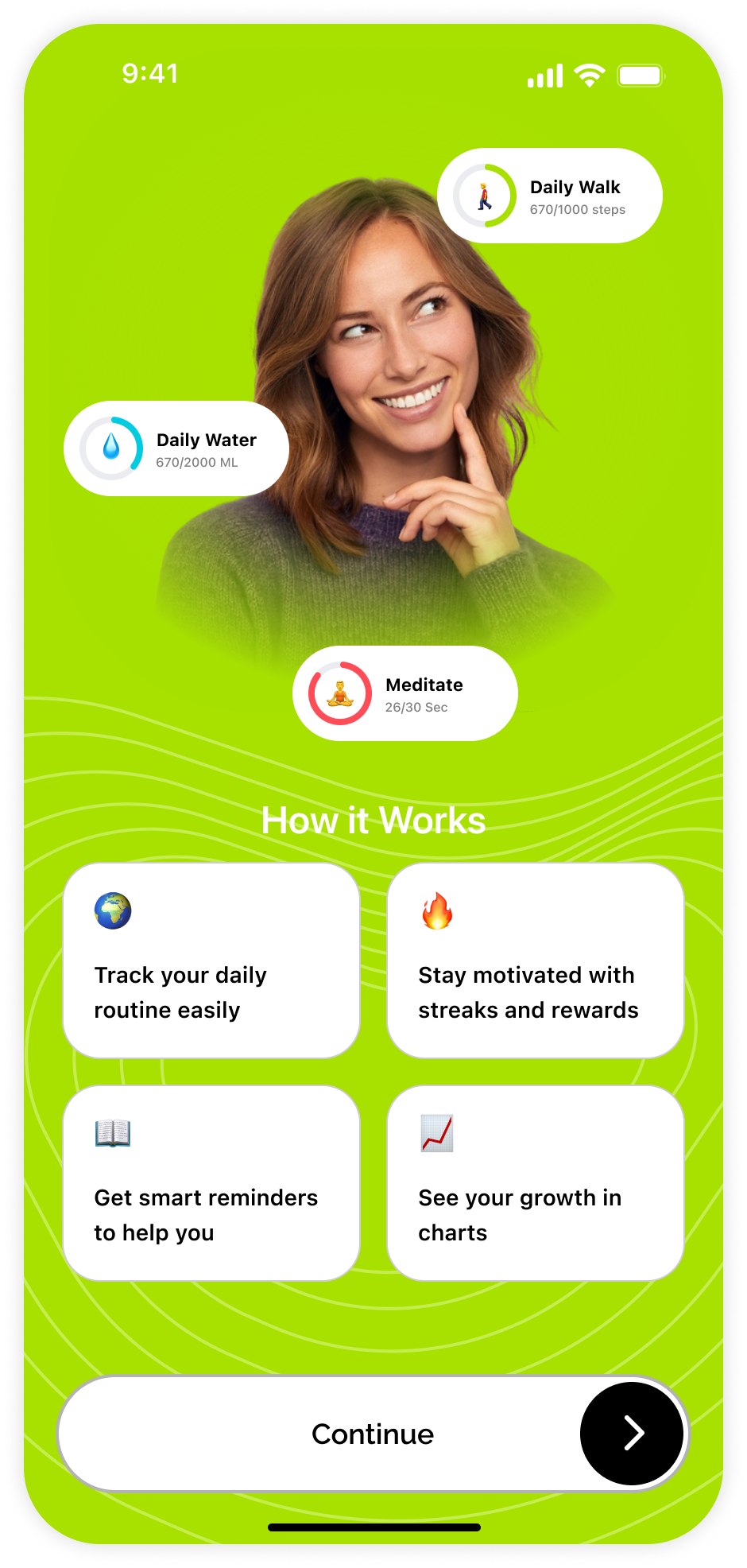
Explain Features

Shows how the app works — tracking, streaks, reminders, and charts — before users commit.

Quick Personalization
03

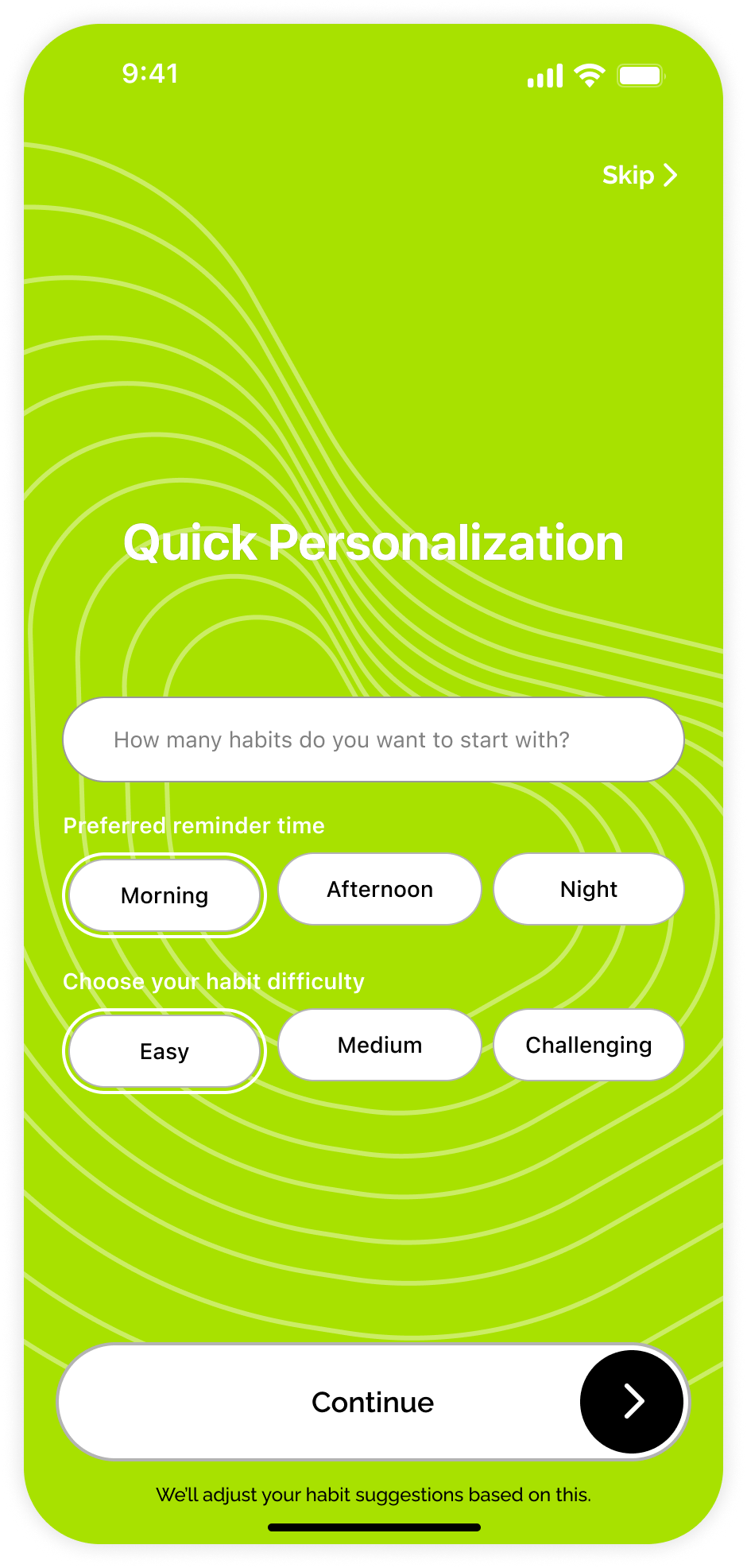
Quick Personalization

Collects reminder preferences and difficulty level to tailor habit suggestions from day one.

Sign Up
04

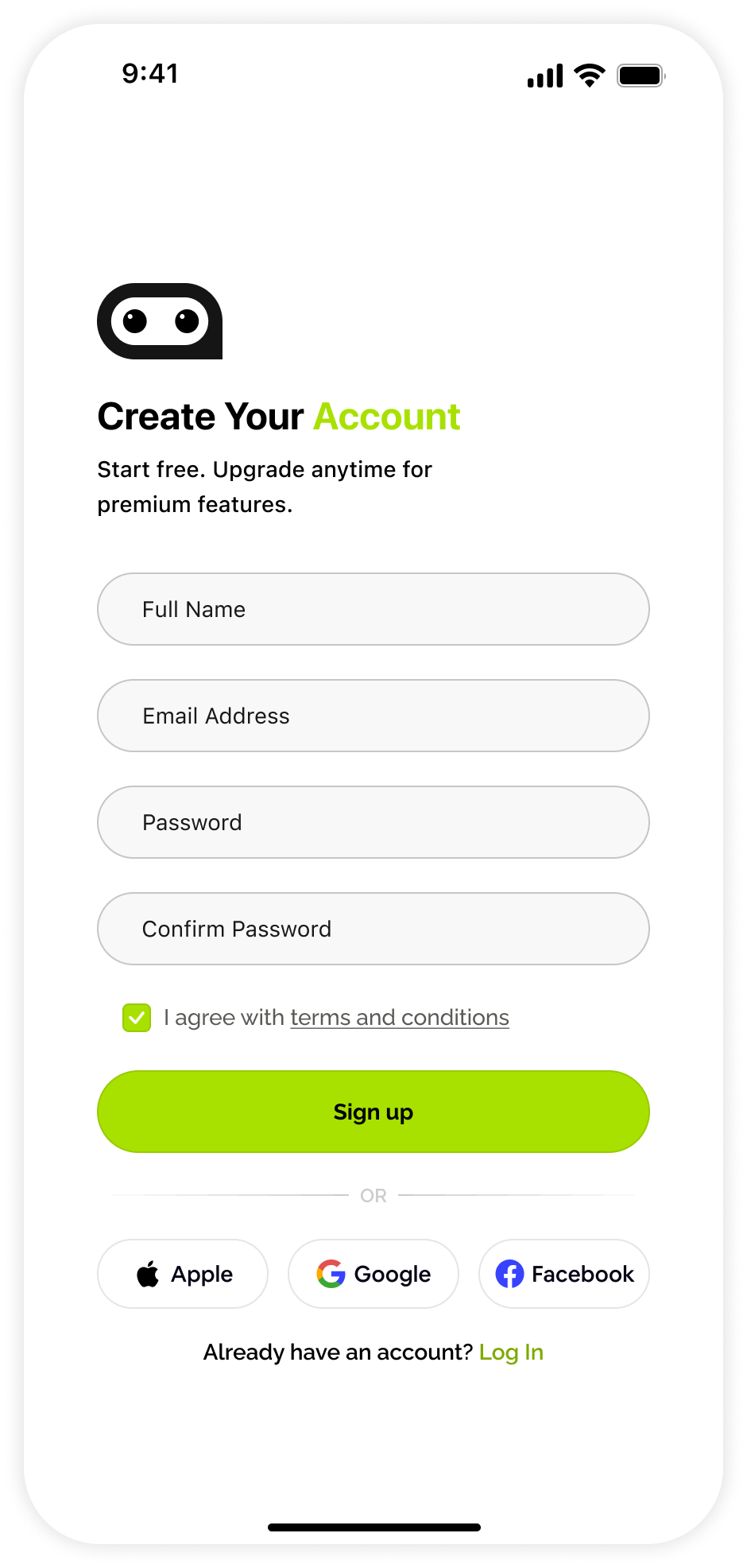
Sign Up

Simple familiar form to help users create an account quickly with minimal effort.

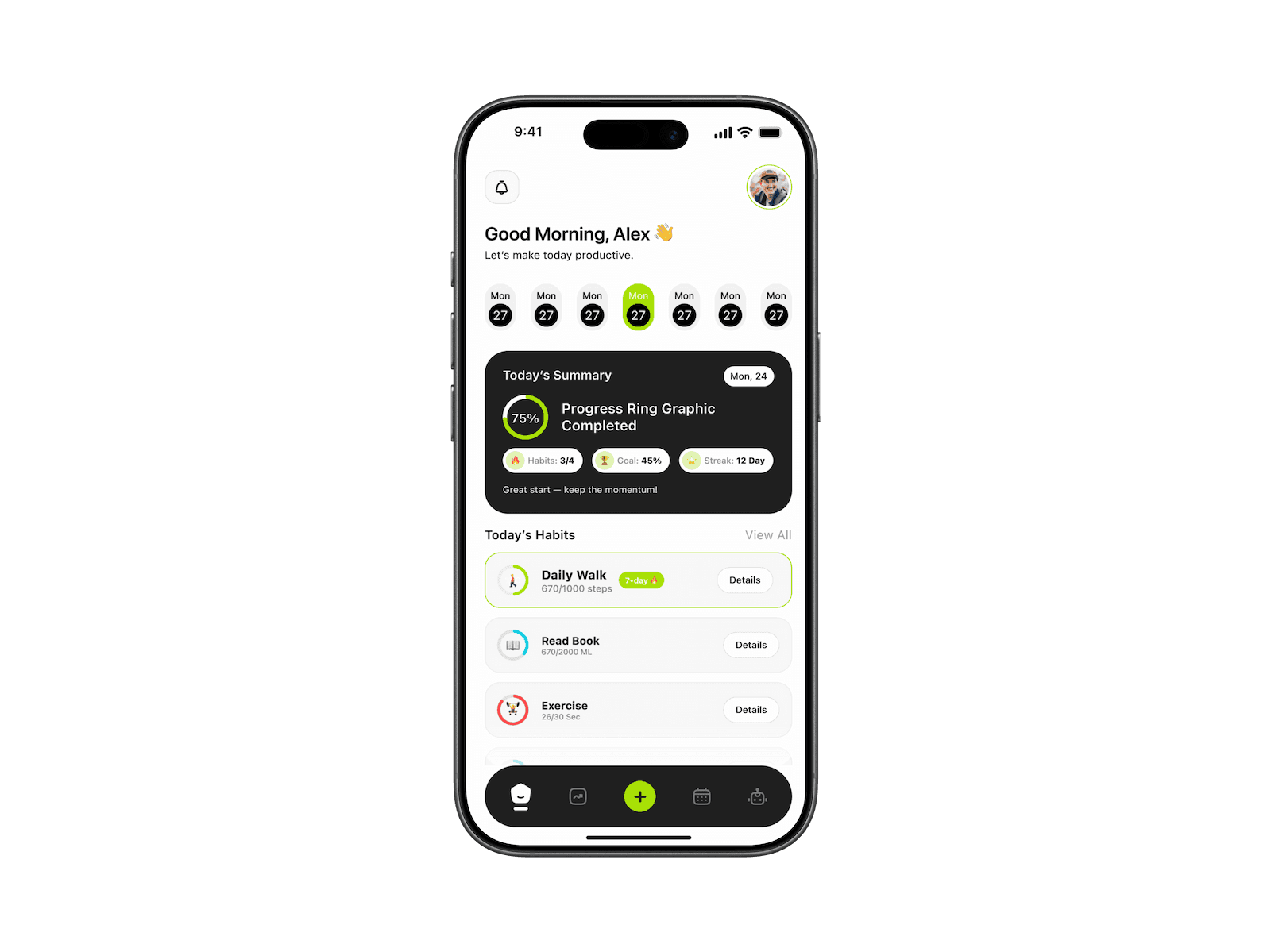
Home Dashboard
05

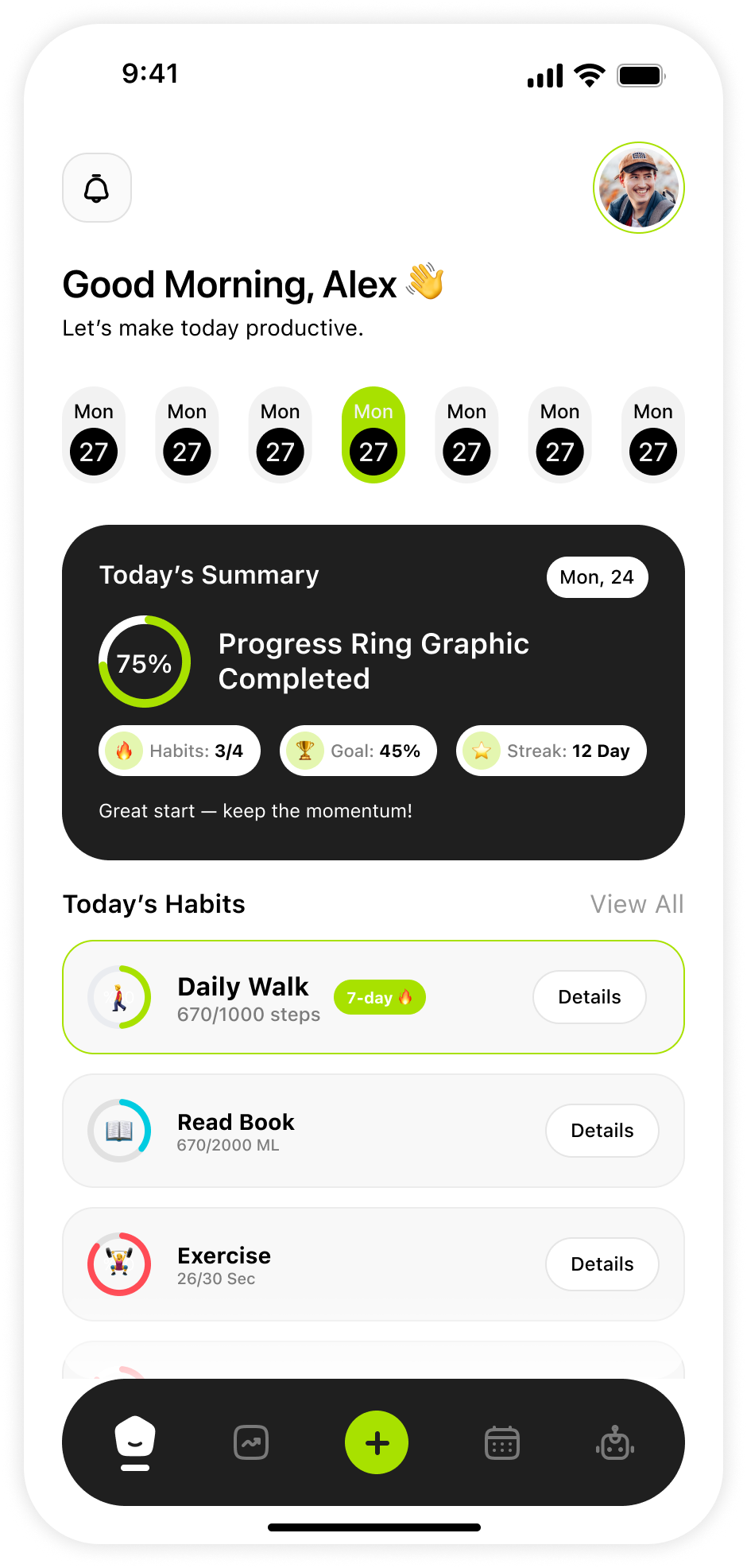
Home Dashboard

Displays daily habits and progress at a glance so users can instantly take action.

Add New Habit
06

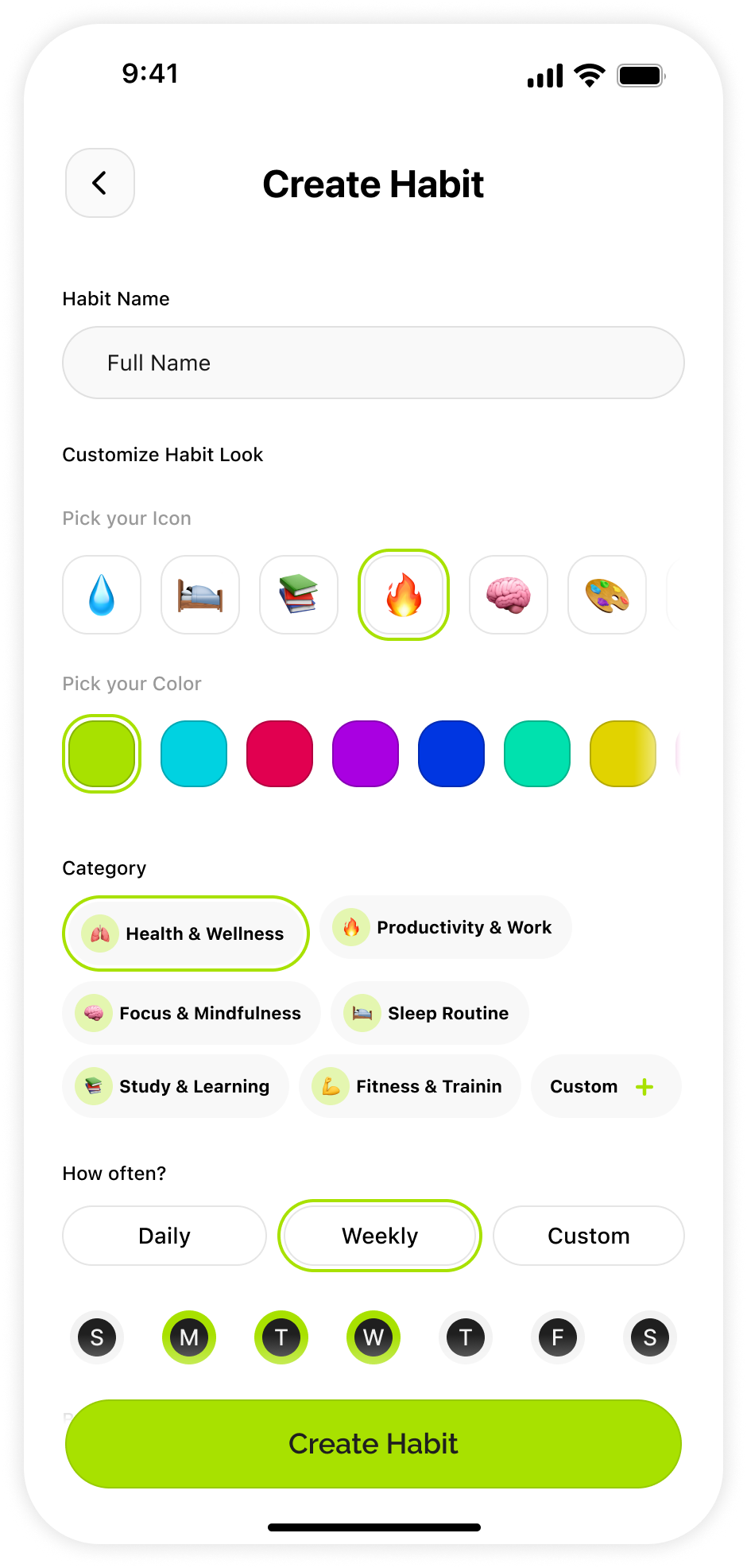
Add New Habit

Lets users name, customize, categorize, and schedule a habit — all in one clean screen.

Calendar
07

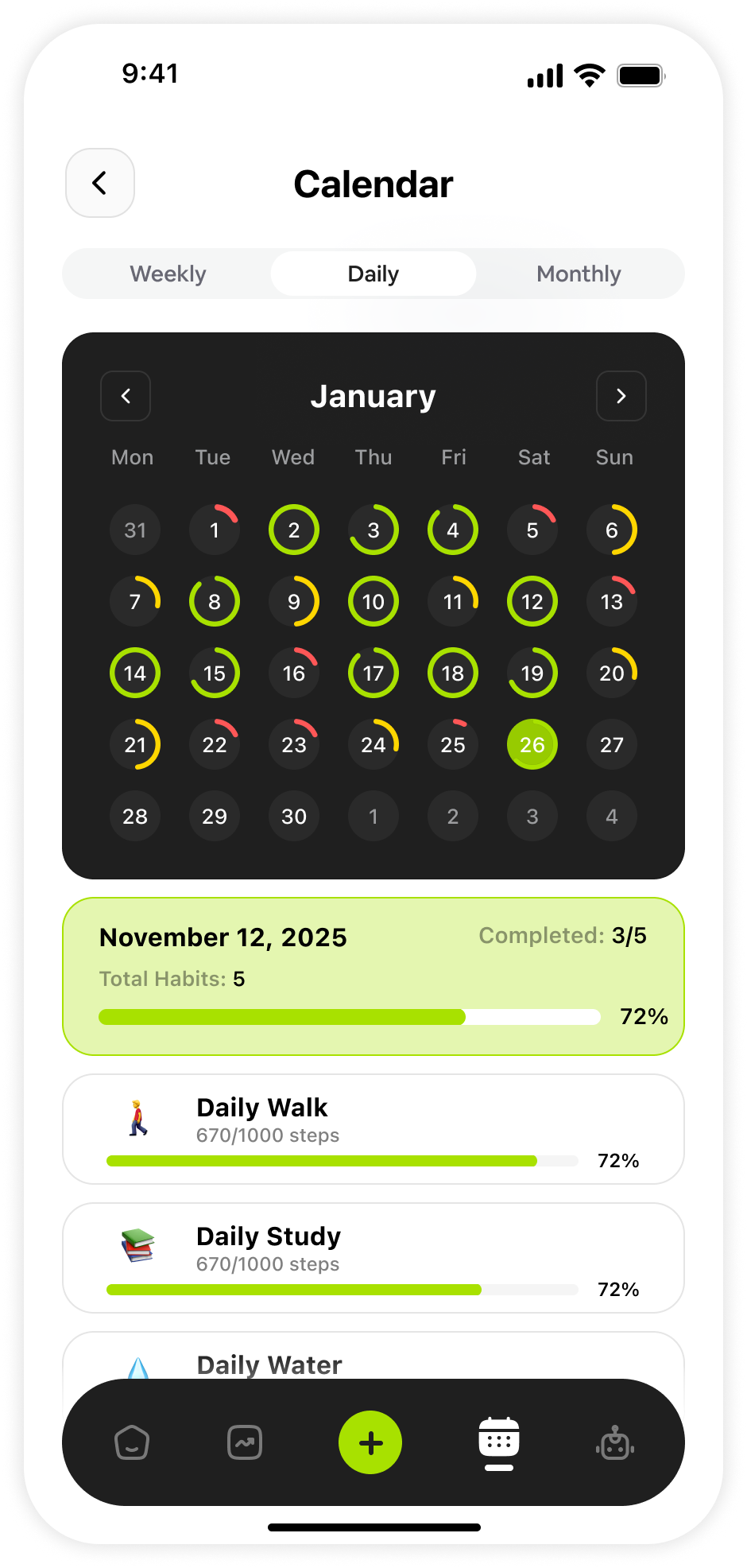
Calendar

Visualizes habit consistency with a color-coded calendar to identify patterns over time.

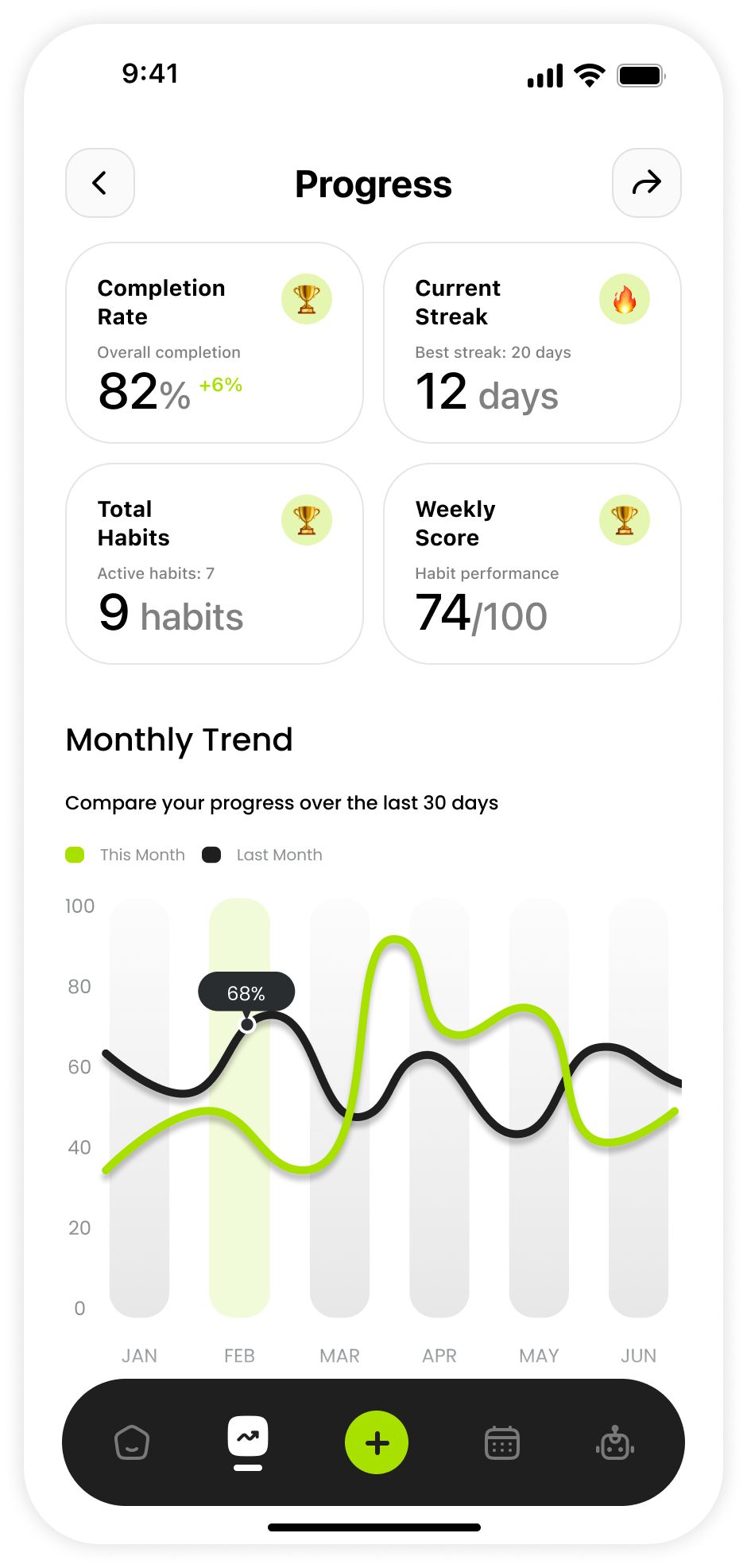
Progress & Analytics
08

Progress & Analytics

Presents completion rate, streak, and monthly trends to keep users motivated and informed.

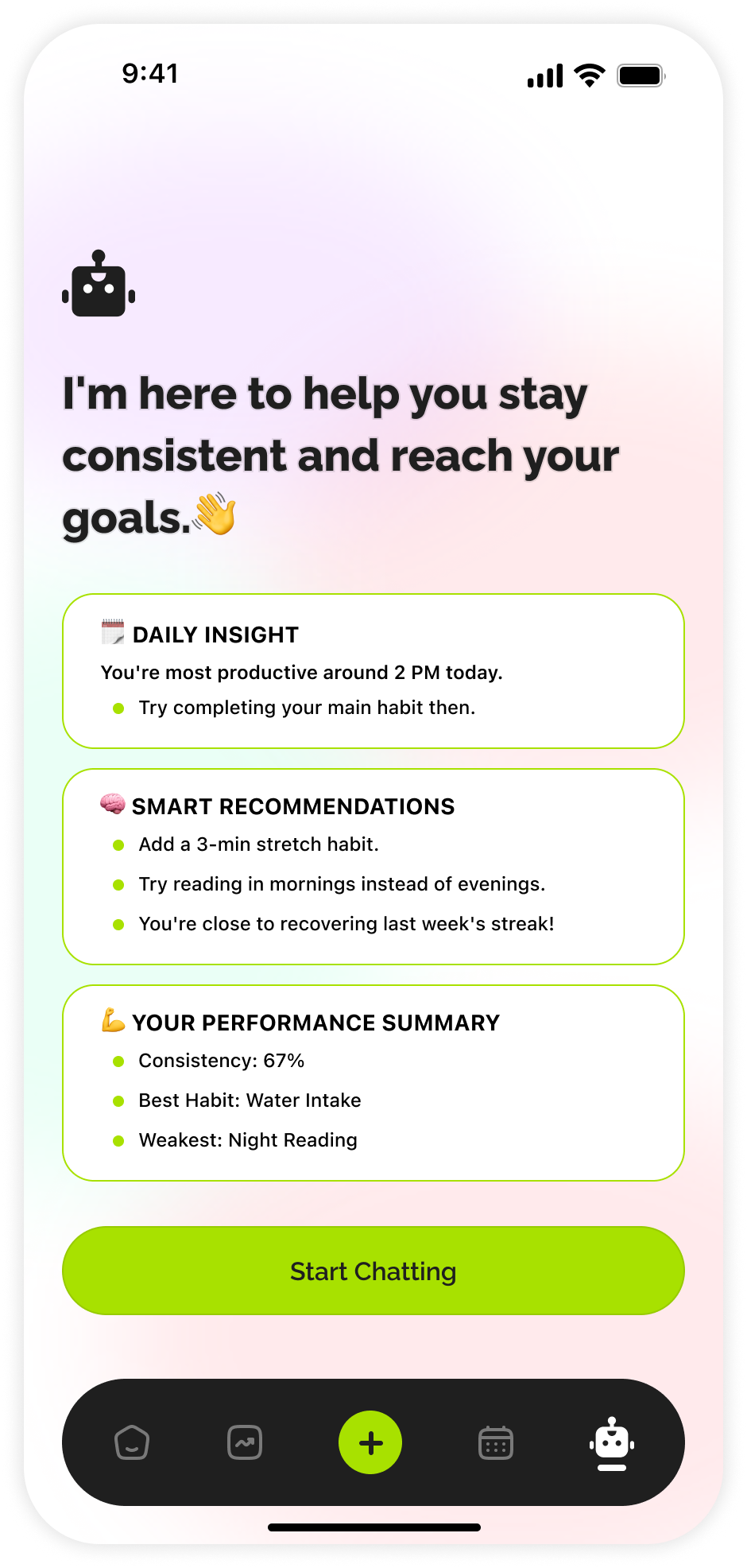
AI Coach
09

AI Coach

Delivers personalized tips and insight cards to support habit formation without overwhelm.

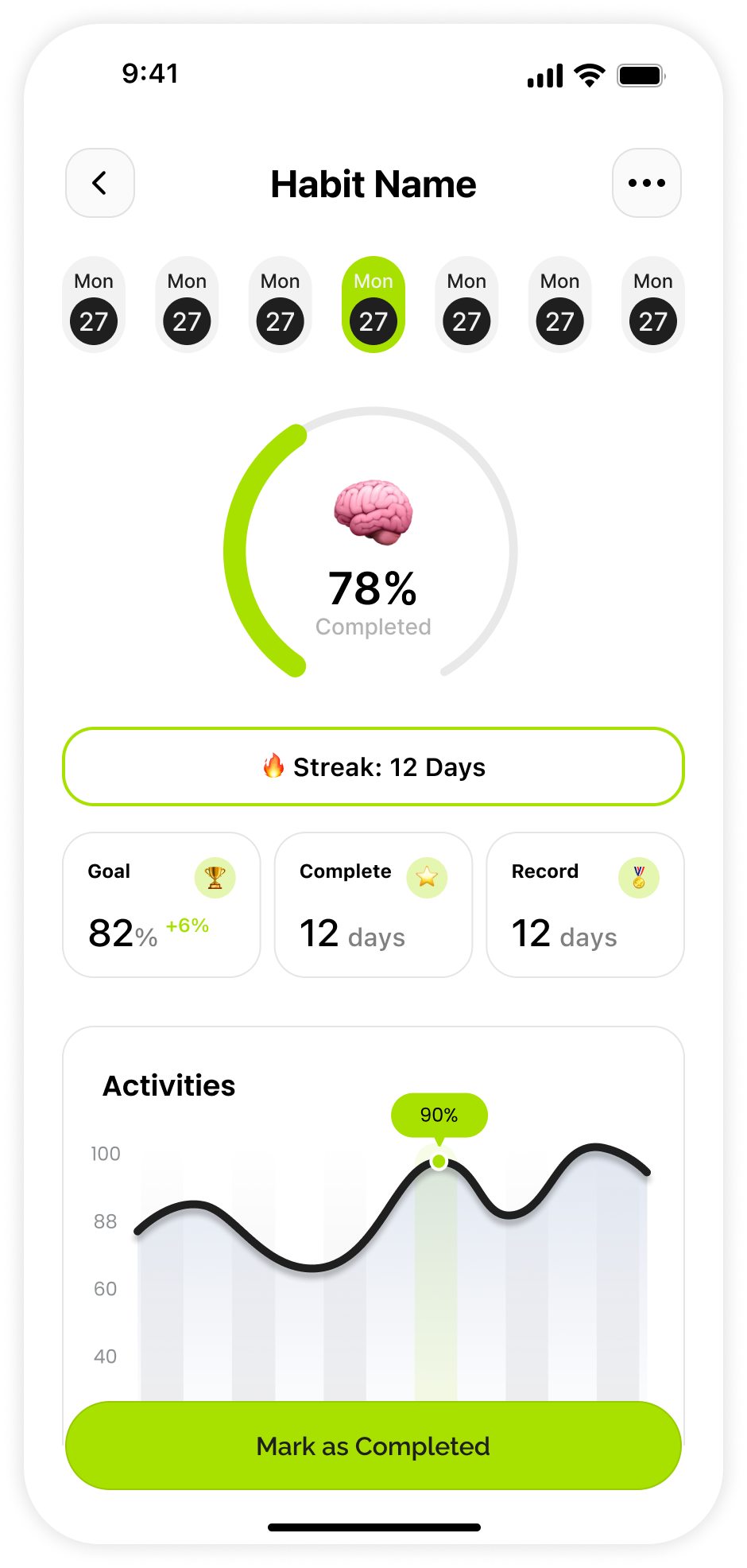
Habit Detail
10

Habit Detail

Deep-dives into a single habit's history, streak, and completion rate.

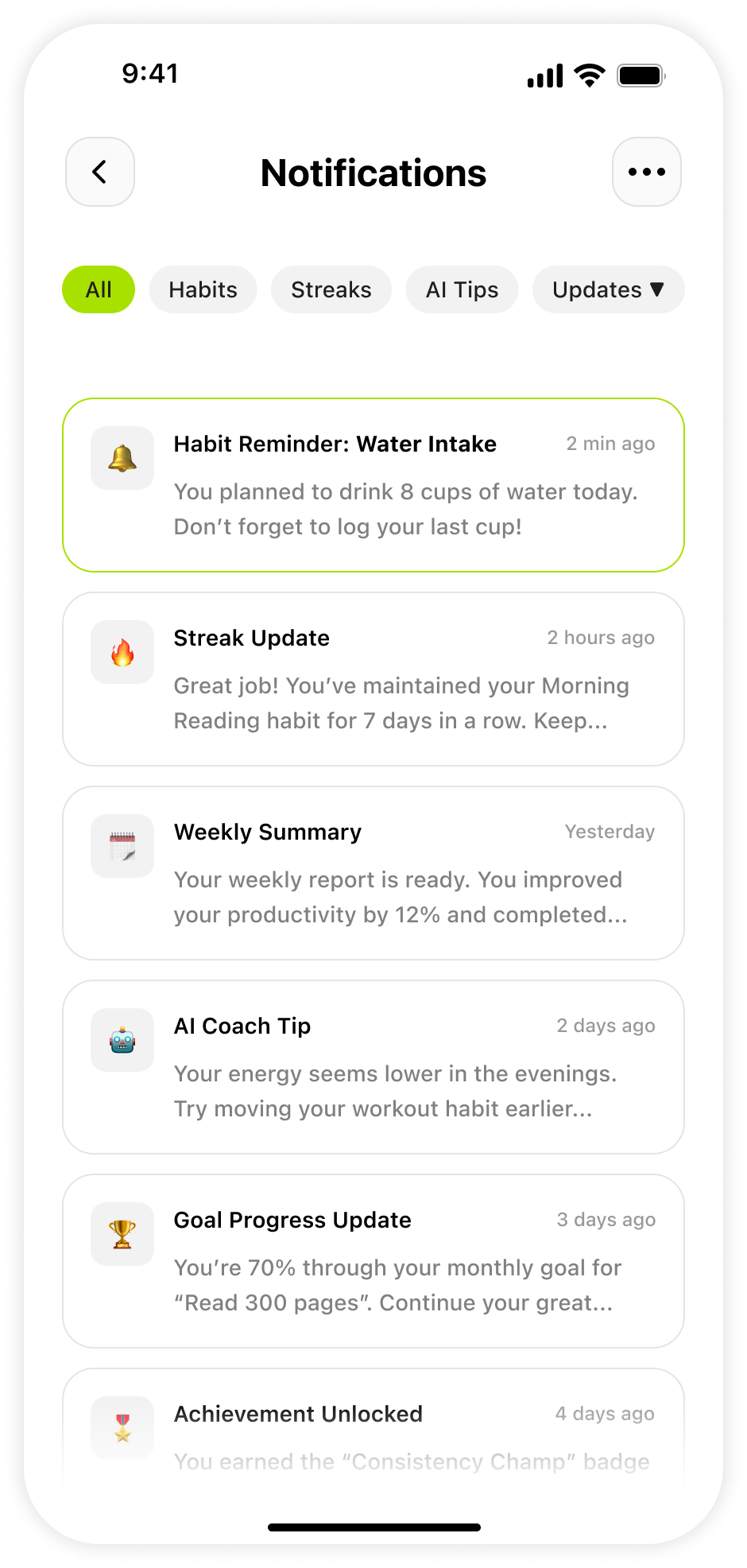
Notifications
11

Notifications

Habit reminders, streak updates, and AI tips in one organized, filterable inbox.

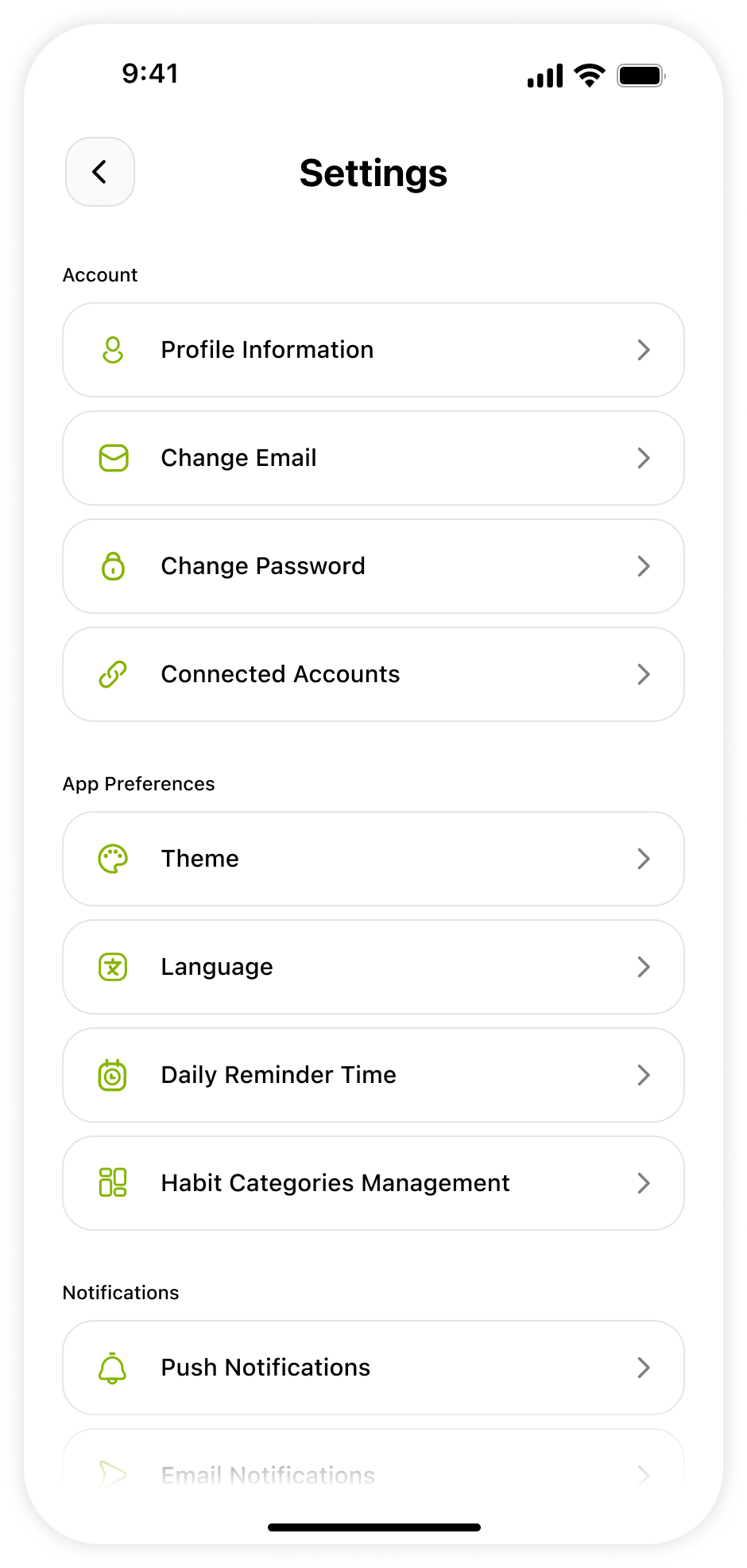
Settings
12

Settings

Manages notifications, preferences, and account details cleanly in one place.

06 — Usability Testing

Findings &
Improvements

The goal of the usability test was to evaluate how easily users interact with DailyLoop and complete key tasks. Participants used a clickable high-fidelity prototype with realistic scenarios.

5
Participants
Real users tested the prototype in sessions
4
Tasks Given
Create habit · Complete · Analytics · Settings
5
Findings
Issues identified and resolved in the design
100%
Task Completion
After improvements, all tasks completed
01
Finding
Habit creation felt slightly long — users expected a faster way to add habits without going through multiple steps.
Improvement Made
Simplified the layout and reduced unnecessary inputs to make habit creation quicker and more streamlined.
02
Finding
Progress insights were useful but not immediately clear — some users needed a moment to understand charts and data.
Improvement Made
Improved visual hierarchy and added clearer labels to make progress data easier to read and interpret.
03
Finding
Users relied heavily on the home screen — most preferred completing actions directly from the dashboard.
Improvement Made
Prioritized key actions and made the home screen more action-focused, reducing the need to navigate away.
04
Finding
Navigation was easy but could be more intuitive — a few users hesitated when switching between sections.
Improvement Made
Refined navigation icons and improved labeling to provide better clarity and reduce hesitation.
05
Finding
Motivation increased with visual feedback — users responded positively to progress indicators and completion feedback.
Improvement Made
Enhanced visual feedback with better progress rings and highlights to make achievements more rewarding.
07 — Final Outcome

A Habit Tracker
That Sticks

DailyLoop resulted in a simple, clean, and motivating habit tracking experience. The final design focuses on helping users easily create habits, track progress, and stay consistent through clear visuals and minimal friction. By combining simplicity with meaningful feedback, the app supports users in building and maintaining better daily routines.

Final Prototype · iOS App
High-Fidelity
Prototype
The complete clickable prototype demonstrates the full user journey — from onboarding and habit creation through daily tracking, analytics, AI coaching, and settings management.
DailyLoop home screen prototype
View Full Prototype →
Project Outcomes
What Was
Achieved
DailyLoop successfully addressed the core problem of habit abandonment through thoughtful UX decisions, a clear visual hierarchy, and a motivational design system rooted in the app's green identity.
12
Screens Designed
6
Core Features
5
Issues Resolved
1mo
Project Timeline